
Chapter 3 - Creating a Tatreez Pattern

Now that you’ve calculated your fabric size and stitching area, it’s time to start creating your pattern! Using digital tools can make the process much smoother, more accurate, and easier to adjust as you go.
Here are three helpful programs—free and paid—that allow you to design cross-stitch patterns using a grid system:
-
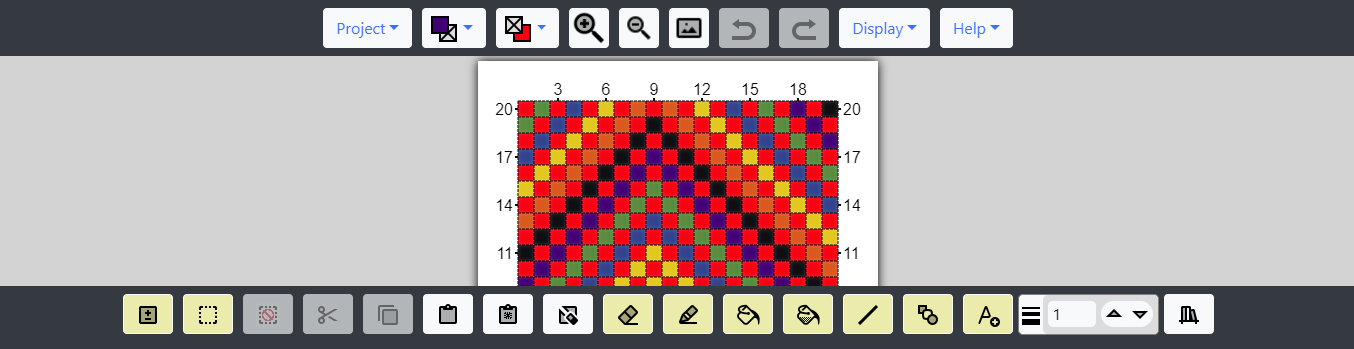
Freese-Works Grid Designer
FREE
A simple and easy-to-use web-based tool perfect for beginners and hobbyists. This site allows you to create cross-stitch or Tatreez designs using a color grid quickly. No download required—just open and start designing!
-

Stitchly
FREE - PAY TO UPGRADE
App is available on both iOS only. Stitchly lets you create cross-stitch patterns on your phone or tablet using DMC thread palettes. The basic version is free, but a one-time in-app purchase unlocks premium features.
-

Macstitch / Winstitch
PAID
A powerful desktop program for stitchers who want a more professional tool for designing patterns. It's a great choice for serious hobbyists or designers creating complex, detailed charts.